Program manager
The Program manager allows you to manage robot programs.
With Program manager you can:
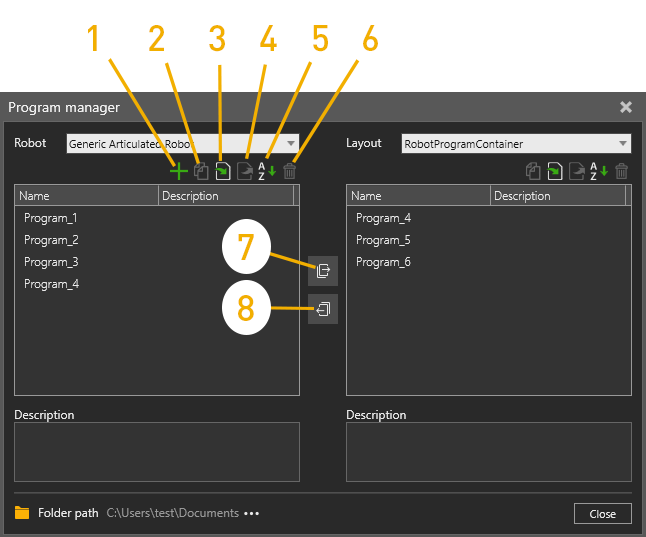
- Create new programs
- Create copies of programs
- Import programs from a file
- Export programs to a file
- Sort programs by name
- Delete programs
- Copy programs from a robot to a layout
- Copy programs from a layout to a robot
You can easily copy programs from one robot to another by:
- Copy the program from robot 1 to a layout
- Change to robot2 from the dropdown menu
- Copy the program from a layout to robot2