Logic Modeling (Early Access)
Note: Logic Modeling is still in Early Access. Logic Modeling features created during Early Access, including plugins and integrations, may not be fully compatible with future versions of Visual Components.
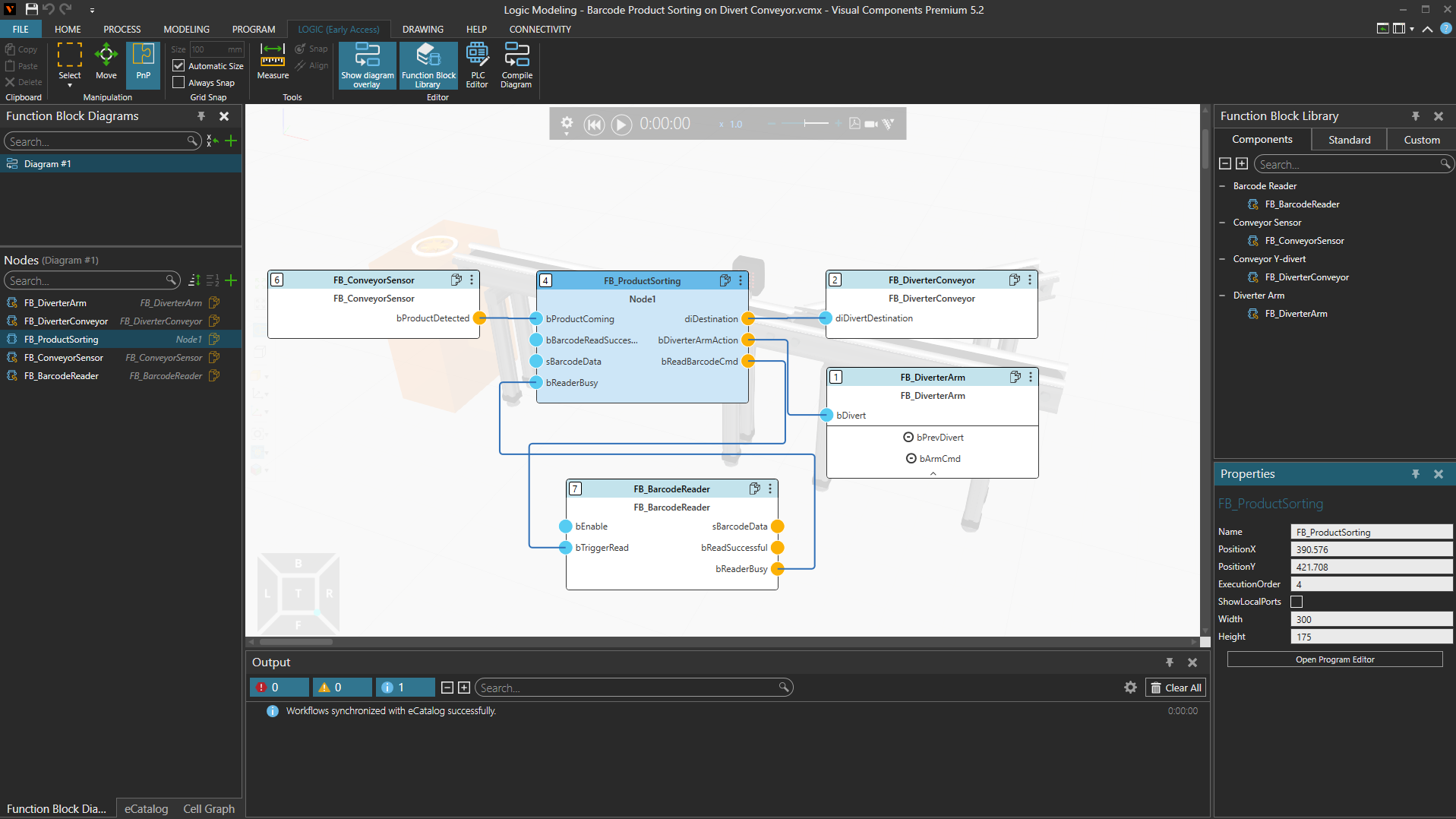
Overview
Logic Modeling enables you to create, test, and execute PLC-style logic directly within Visual Components. It combines simulation and control logic in a single environment, allowing you to develop and validate automation behavior without switching between separate simulation and PLC engineering tools.
Logic Modeling is based on the IEC 61131-3 standard and supports Structured Text (ST) programming together with visual Function Block Diagrams (FBDs). Logic can be developed and tested as part of a simulation model and later connected to external PLC systems when required.
Logic Modeling availability
Logic Modeling Runtime allows layouts with Logic models to be run and reused in all Visual Components 5.2 products.
To create or edit Logic Models, the Logic Modeling Add-on must be enabled. The Logic Modeling Add-on is available in the following products:
| Product | Logic Modeling Runtime | Logic Modeling Add-on |
| Visual Components Essential 5.2 |  Run / Reuse |
 Not Available |
| Visual Components Robotics OLP 5.2 | Run / Reuse |
Not Available |
| Visual Components Arc OLP 5.2 | Run / Reuse |
Not Available |
| Visual Components Digital Twin 5.2 | Run / Reuse |
Not Available |
| Visual Components Professional 5.2 | Run / Reuse |
Available |
| Visual Components Premium 5.2 | Run / Reuse |
Available |
| Visual Components Professional OLP 5.2 | Run / Reuse |
Available |
| Visual Components Premium OLP 5.2 | Run / Reuse |
Available |
To enable the Logic Modeling Add-on:
- Select File > Options > Add-on.
- Locate Logic Modeling Add-on.
- Select Activate and enter your Logic Modeling license information.
- Select OK.
- Restart the application.
- After restarting the application all the functions in the LOGIC (Early Access) tab are available.