Program sync statement
Program Sync
Program Sync makes two or more robot programs meet at the same point. Each robot waits at its ProgramSync statement until the other robots in the group reach the matching statement, then all continue. For motion timing, use MotionSync statement. Also see Cancel program sync statement.
Set up Program Sync
- On each participating motion controller, create a Controller Group that contains the participating controllers.
- In each robot's program, add a ProgramSync statement where the robots should meet.
- Give matching statements the same non-empty Sync ID. Select the corresponding Controller Group as the Sync Group.
- Leave Wait Sync enabled for a normal rendezvous (default).
| Property | Purpose |
| Sync ID | Identifies the sync point. Must match across programs and must not be empty. |
| Sync Group | Controller Group whose controllers take part in the sync. |
| Wait Sync | On: the robot waits for the others. Off: the robot signals its arrival and continues without waiting. |
| Allow Reentry | Available when Wait Sync is off. See below. |
Sync ID is an expression. Use quotes for fixed text, for example "pickup".
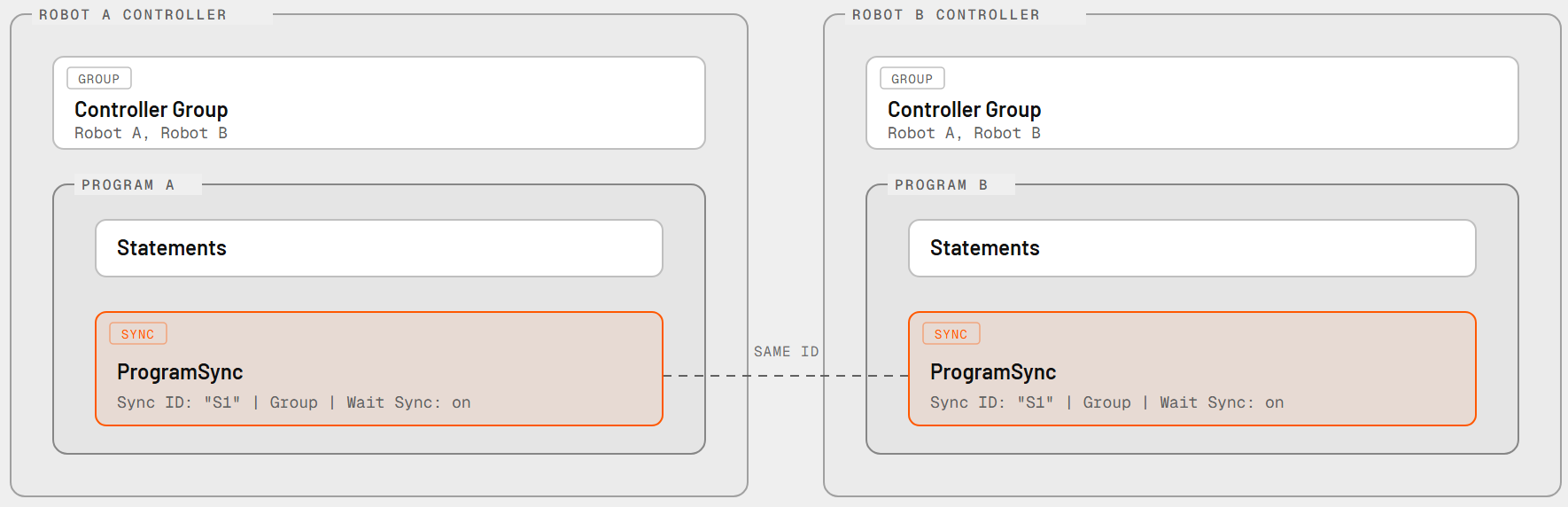
Example
Robot A moves to a pickup position, then hands over to Robot B. Both programs contain a matching ProgramSync, so Robot B starts its move only after Robot A is ready.
| Robot A program | Robot B program |
| Move to pickup | Move to pickup |
| ProgramSync (Sync ID "handover", Wait Sync on) | ProgramSync (Sync ID "handover", Wait Sync on) |
| Move to retreat | Move to place |
What happens during simulation
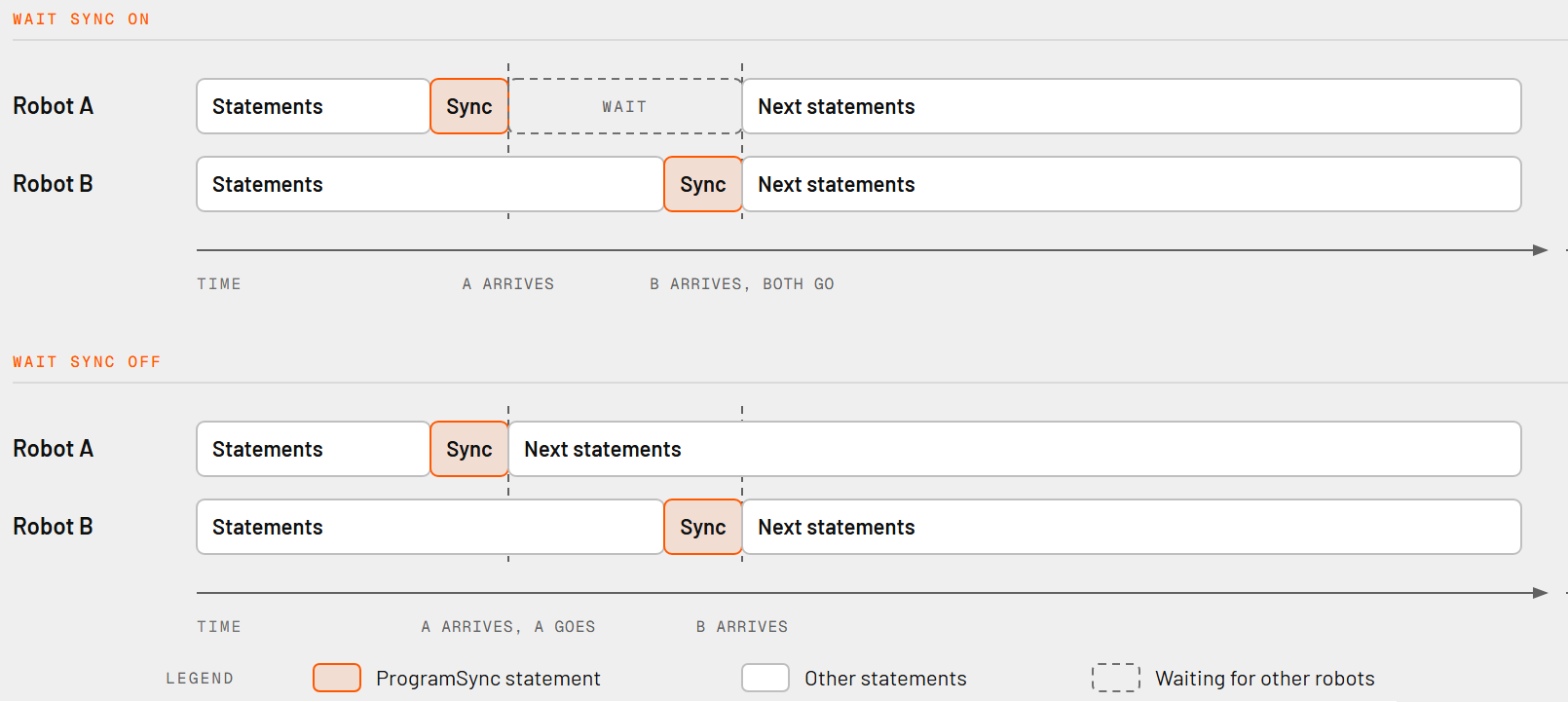
With Wait Sync on, the robot stops at the statement until every other controller in the Sync Group has reached a statement with the same Sync ID. All robots then continue at the same simulation time.
With Wait Sync off, the robot registers its arrival and continues immediately. Partners waiting at the same Sync ID are released once all controllers have arrived. If Allow Reentry is off and this Sync ID is still pending on the controller, the robot waits instead of registering again. Turn Allow Reentry on to let the robot pass the statement again without waiting.
Use CancelProgramSync to withdraw a pending arrival.
Limitations and checks
- Sync ID must not be empty. Otherwise the statement reports an error.
- Every controller in the Sync Group must reach a statement with the same Sync ID. A missing statement, a different ID, or a controller that never arrives leaves the others waiting indefinitely.
- Only the Sync ID is compared. Sync Groups in different programs are not checked for equality.
- Sync settings cannot be edited while the simulation runs.
- Program Sync leaves motion timing, paths, and positions unsynchronized.